 EN
EN French
 Spanish
 German
 Italian
 Brazilian Portuguese
 Polish
 Russian
 Dutch
Dutch
 Turkish
 Latin American Spanish
 Romanian
 Ukrainian
 Hungarian
 Czech
Czech
 Swedish
 Japanese
 Korean
 Simplified Chinese
 Traditional Chinese
 Vietnamese
 Thai
Thai
 Hindi
Hindi
 Arabic
Discord support
Le serveur support est l’endroit le plus rapide pour obtenir de l’aide sur l’installation, les permissions, les salons, les publicités, les bumps, le premium ou la modération.
Open the support server PROMO PULSE
v3.4
PROMO PULSE
v3.4
Support
Rejoins le serveur support pour poser une question, signaler un problème, demander de l’aide sur une configuration ou suivre les annonces importantes du bot.
Support tickets
The PromoPulse team replies live, without you leaving your browser. Tickets are reserved for users logged in to the PromoPulse website with their Discord account.
Setup guide
Every module explained step by step, with real annotated screenshots of the dashboard and Discord: activation, channels, roles, permissions and troubleshooting.
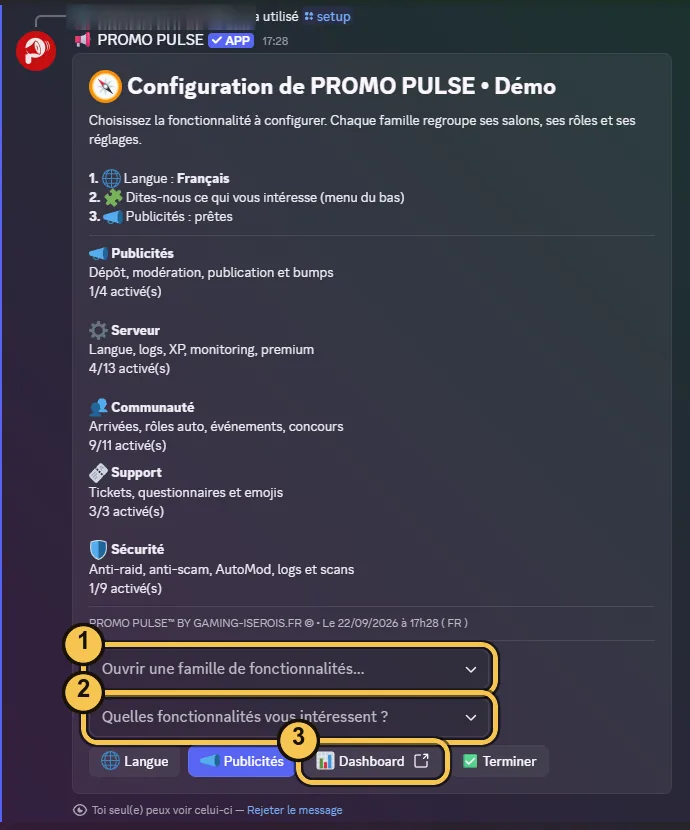
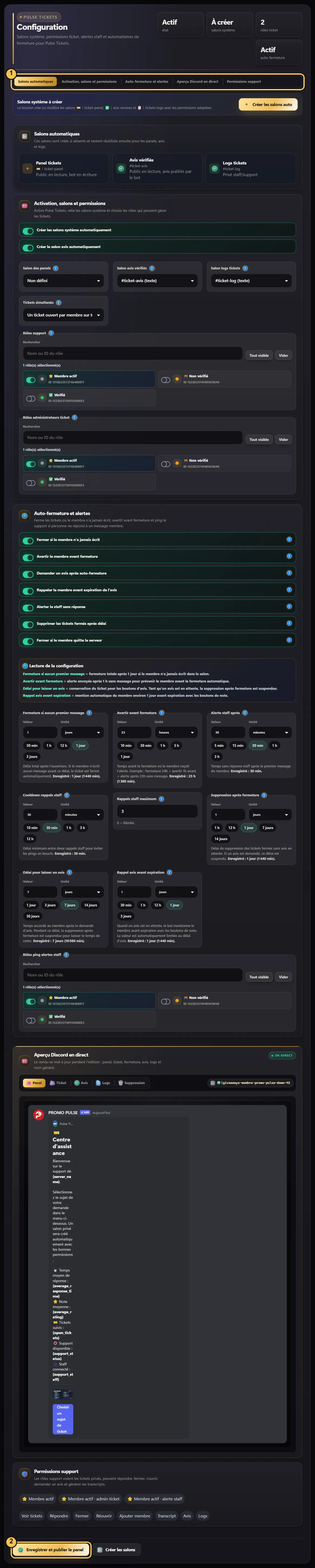 Step by step
Le serveur support est l’endroit le plus rapide pour obtenir de l’aide sur l’installation, les permissions, les salons, les publicités, les bumps, le premium ou la modération.
Open the support serverConnecte-toi avec Discord pour gérer tes serveurs, vérifier les permissions, modifier la configuration et consulter les informations disponibles pour chaque guilde.
Open the dashboardPour un lien suspect, une publicité abusive, un souci de permission ou une action de modération, prépare l’ID du serveur, l’ID de la publicité et une courte description.
Read rulesA problem with your custom bot (token, invite, refused bot, identity)? Follow the step-by-step guide or open a ticket with the “Custom Bot” subject.
Never share your token: not on Discord, not in a ticket. The PROMO PULSE team will never ask you for it.
Before asking for help
Discord server name, guild ID or link to the related ad.
Explain what should happen and what actually happens.
Add useful screenshots, the command used or the displayed error message.
Feature preview

Add the app to your home screen: it opens in one tap, full screen, without the browser bar.
On iPhone and iPad, installing goes through Safari. If you can’t see the Share button, open this page in Safari.